

How to install your HashyLink into your Xiros Mikros freeze dryer
Follow these steps carefully. The install is easiest if you watch the original video first.
Install steps
- Turn off and unplug your freeze dryer.
- Pull the back panel and metal shroud off. Unscrew the stainless screws along the bottom and back of the machine. Make sure your vacuum hose can pass freely through the shroud hole; remove the clamp and unscrew the connection point if needed.
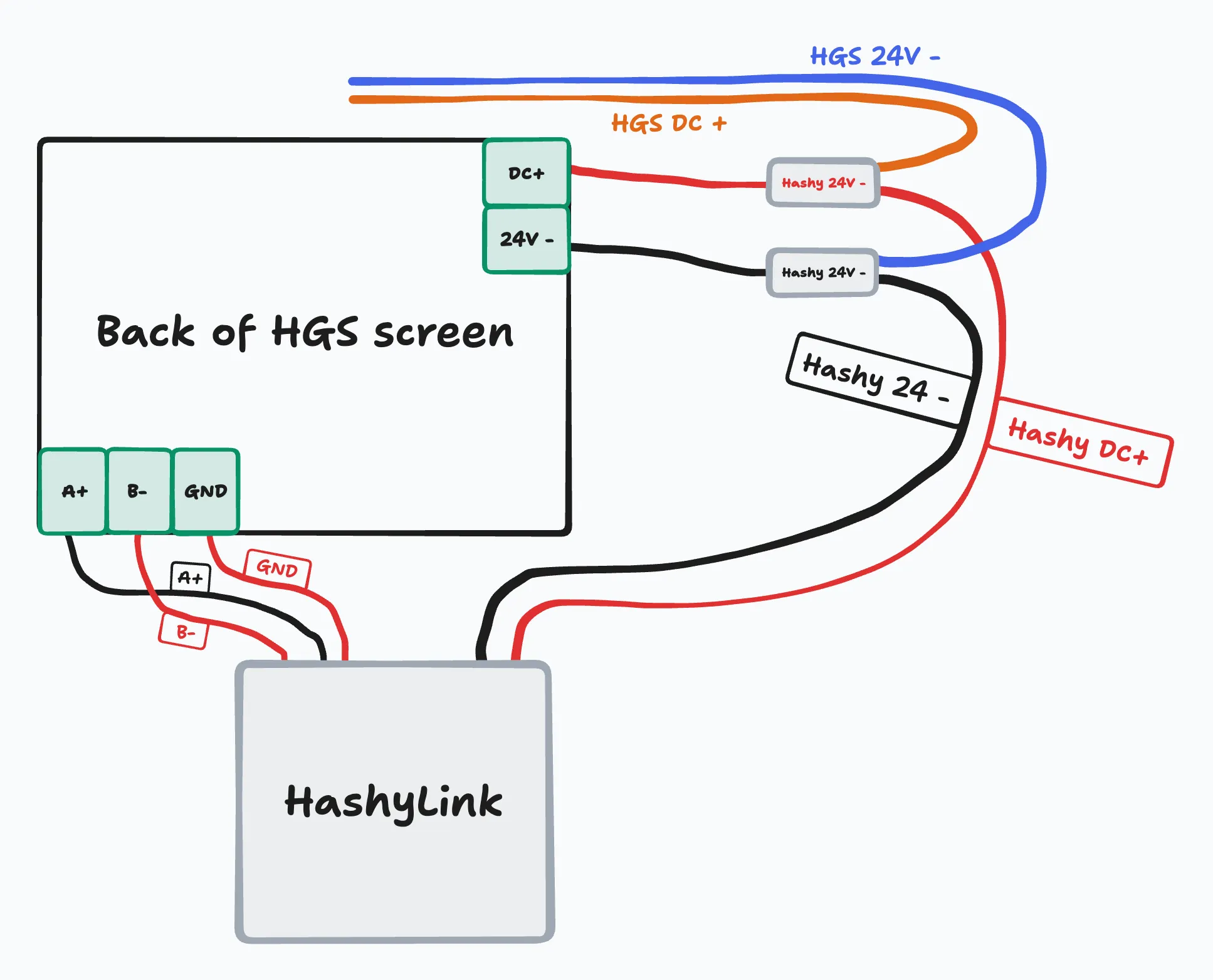
- Connect the wires to the back of the PLC. There are five wires to connect in total, and all are labeled with the proper connection point on your freeze dryer.
- Make sure you are not touching any exposed wires. Plug your freeze dryer back in and turn it on. Carefully scan the QR code on the bottom of the HashyLink using the SoftAP app and complete Wi-Fi setup.
- Turn your freeze dryer off and unplug it again. Put the metal shroud and back panels onto your freeze dryer. Make sure all tabs are connected properly before tightening the screws back down.
Provision Wi-Fi
- Download ESP SoftAP Provisioning.
- Open ESP SoftAP Provisioning and scan the QR code.
- Android app: ESP SoftAP Provisioning.
- iOS app: ESP SoftAP Provisioning.
- This will initiate connection.
- You should get two success messages.
Latest firmware for Holland Green Science
Your freeze dryer will need to be on one of the newer firmware versions to send data out through the HashyLink.